.png)
How to Transfer Ownership of Your ScooterUpdated 6 months ago
How to Transfer Ownership of Your Scooter
If you're selling or giving your Apollo scooter to someone else, you can easily transfer ownership through the Apollo app. Transferring ownership ensures the new owner can connect to and manage the scooter from their own account.
Before starting, make sure the new owner already has an Apollo account. If they don't, they'll need to create one in the Apollo app before you begin the transfer.
Prefer to have us handle it? If you'd like our support team to process the transfer on your behalf, we're happy to help — just reach out. That said, doing it yourself through the app is the fastest and easiest option.
Steps to Transfer Ownership
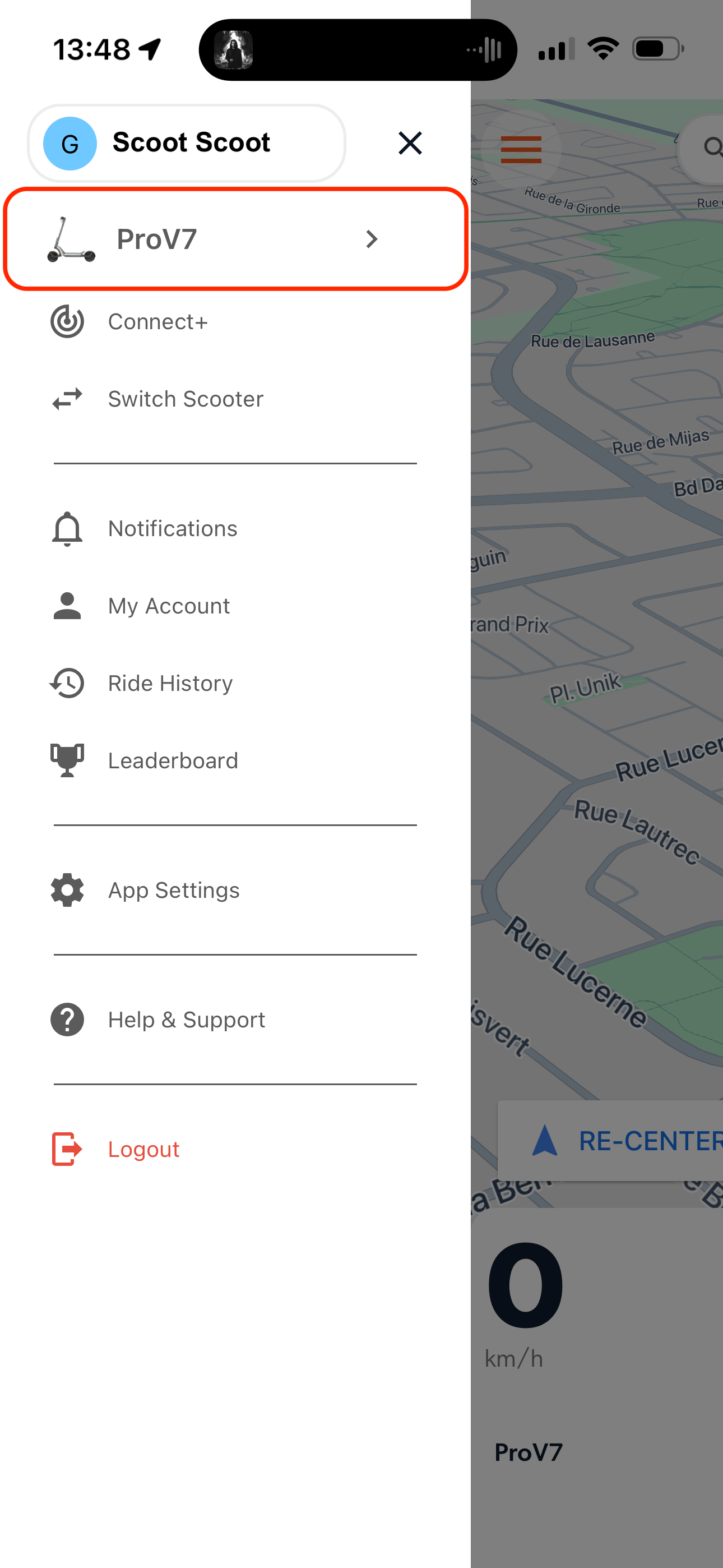
- Open the Apollo app and tap on your scooter's name from the sidebar.
- If you own more than one scooter, tap "Switch Scooter" to view all your scooters as cards.
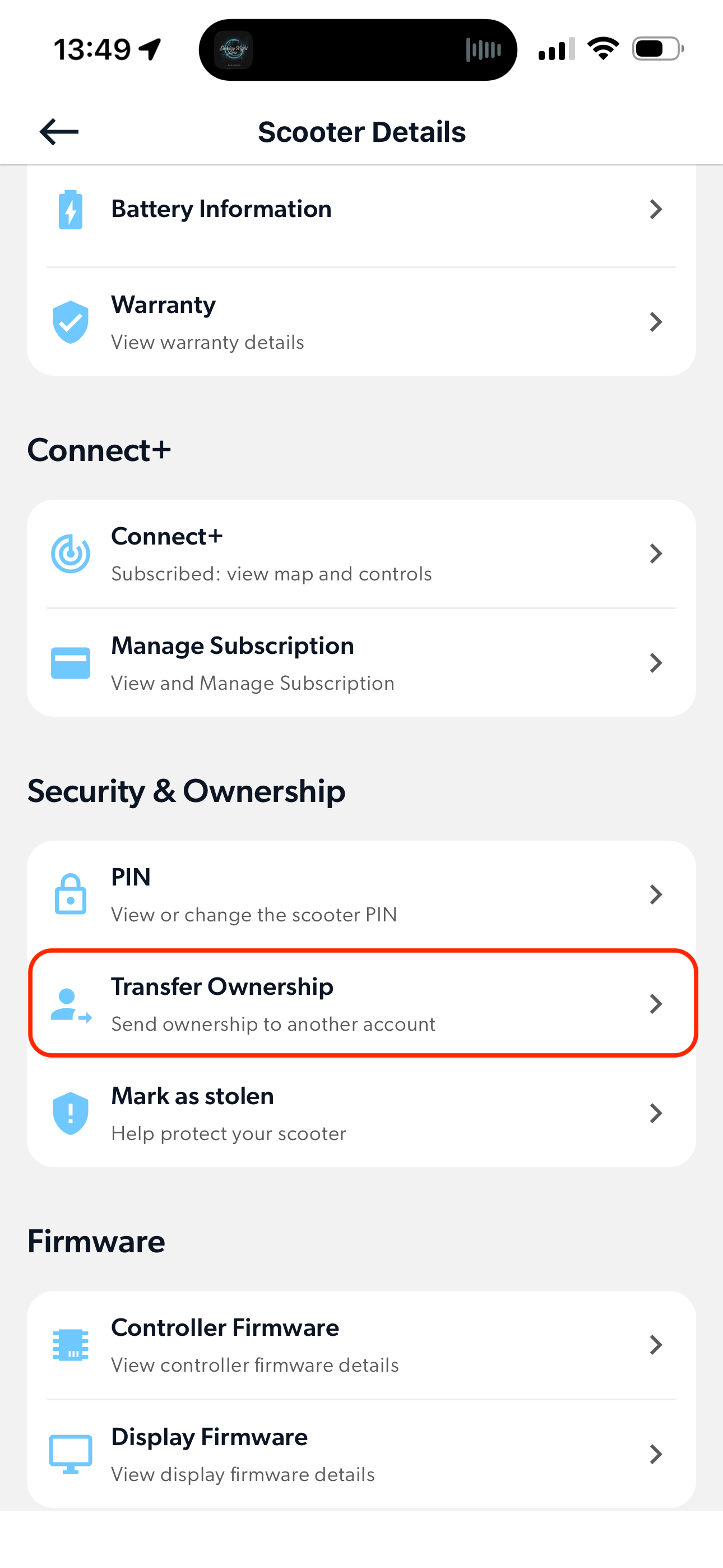
- Once in Scooter Details, scroll down to find the Security & Ownership section.
- Tap Transfer Ownership.
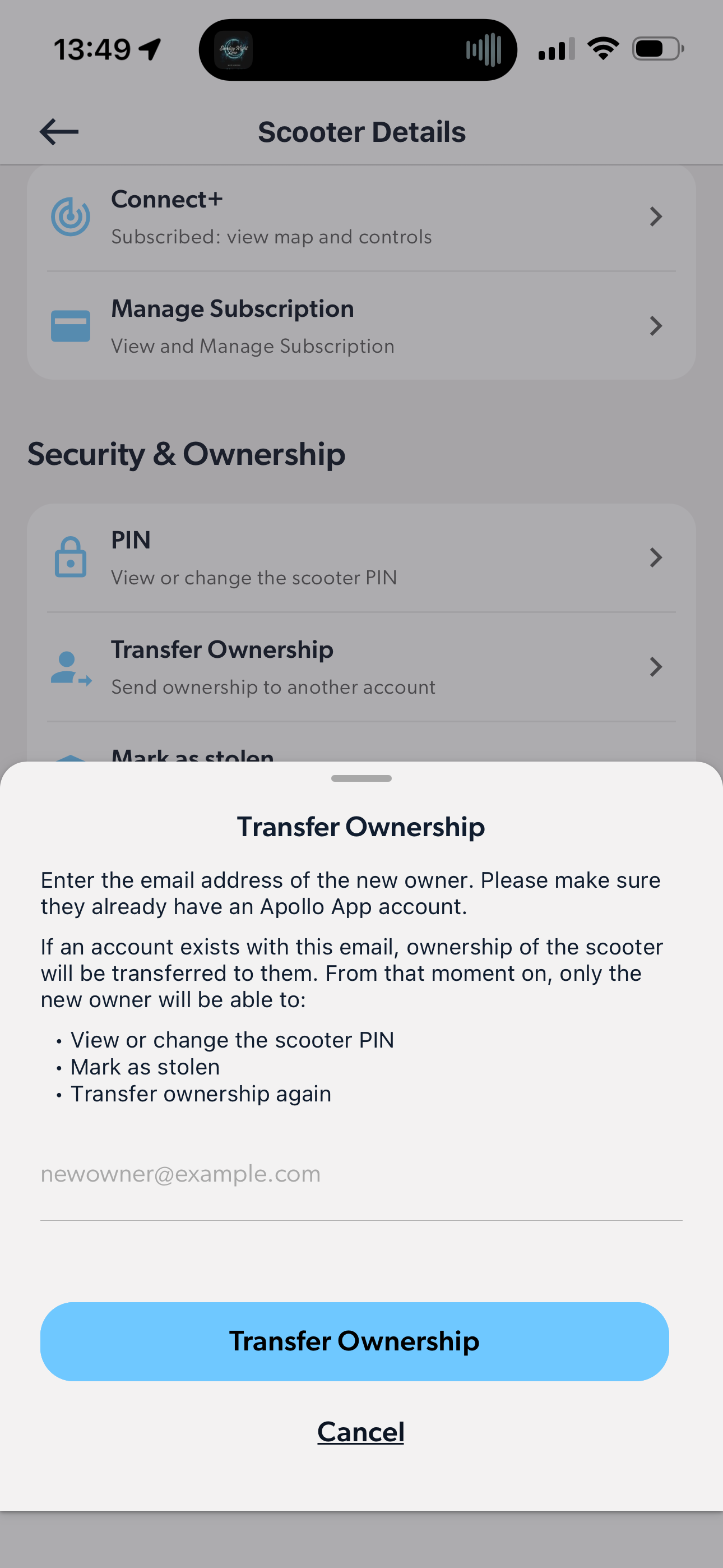
- Enter the new owner's email address (the one linked to their Apollo account), then tap Transfer Ownership to confirm.
That's it! The transfer will complete immediately.
What Happens Next
- The new owner will be able to connect to the scooter right away.
- They will not be asked for a PIN when pairing for the first time.
- The existing PIN is not automatically changed — the new owner can update it at any time in the app.
- No email or other notifications are sent to either owner at this time.
Purchased Second-Hand and Need a PIN?
If you bought a scooter second-hand and need access to the PIN, our team will do our best to help. Here's how the process works:
- We'll reach out to the original owner to confirm the transfer of ownership.
- If the original owner responds and confirms, we'll proceed with the transfer.
- If the original owner does not respond, and the scooter is not reported as stolen in our system, we will provide the PIN to the new owner after a 30-day grace period.
Please note: providing the PIN in this scenario does not constitute a full ownership transfer. Written confirmation from the original owner remains the standard requirement for a complete transfer.
Steps In The App